Lightokay
Cull, organize and edit your photos — on your own Mac
Lightokay is a desktop photo manager and RAW editor for photographers, designers and video creators. Browse huge libraries, filter by color, tags and ratings, and edit RAW files with professional tools. Everything runs locally.
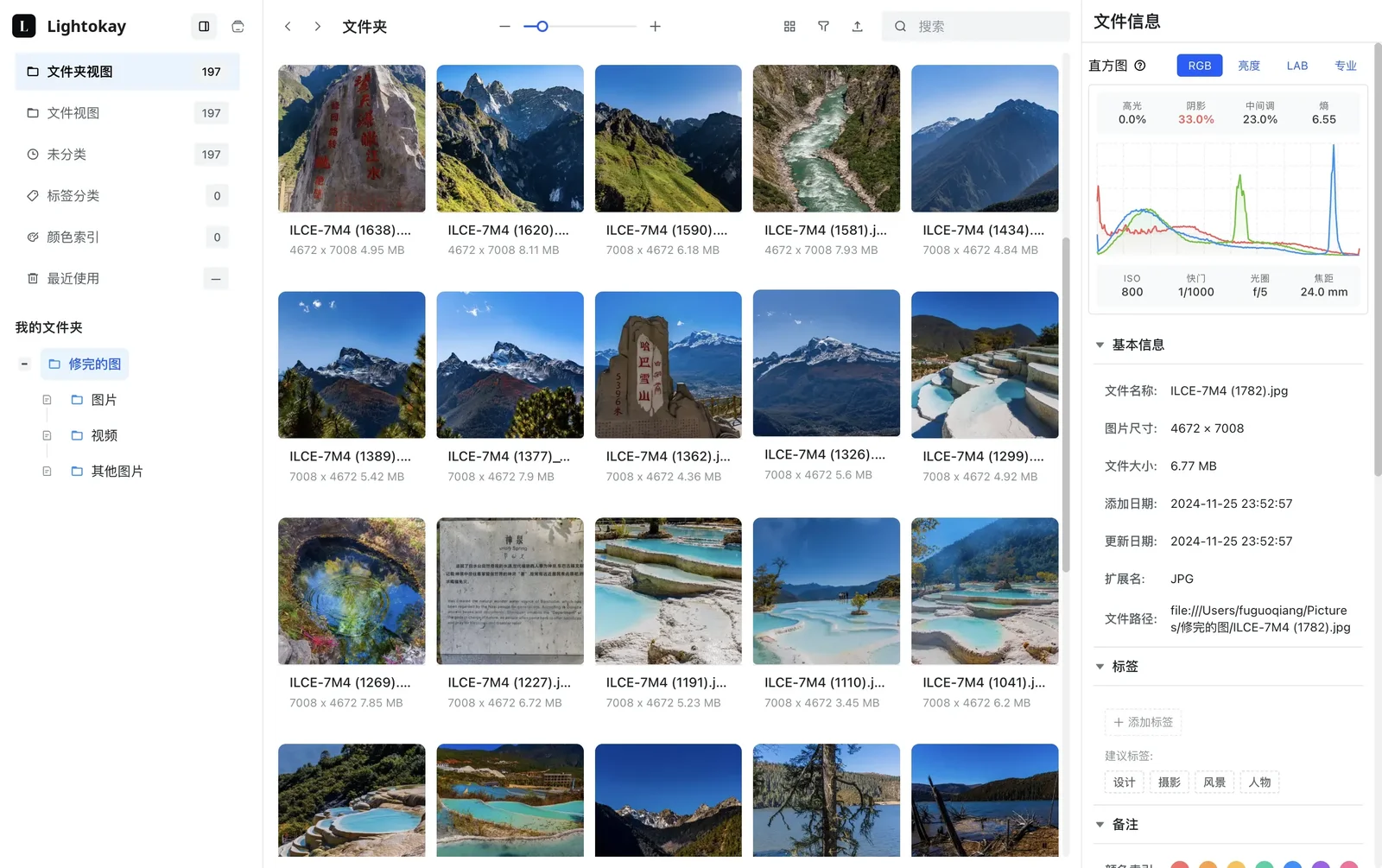
Everything you need to go from card to final pick
One app for browsing, culling, organizing and editing — without importing your photos into a closed catalog.
Libraries that follow your folders
Point Lightokay at the folders you already use. Files stay where they are on disk, and changes in Finder show up in your library.
Filter by color
Lightokay extracts each photo's dominant colors, so you can find shots with a similar palette in seconds.
Tags, ratings and smart filters
Combine tags, star ratings, format, date, size, dimensions and orientation to narrow thousands of files down to the ones you need.
Fast RAW preview
Open RAW files from Sony, Canon, Nikon, Fujifilm, Leica, Panasonic, Olympus, Pentax and more, with a histogram and full shooting info.
Professional RAW editing
White balance, tone, curves, HSL, color grading, calibration, lens corrections, detail and grain, plus LUTs, crop and export.
Batch work and shortcuts
Edit, tag, copy and move whole selections at once, drag files straight into other apps, and keep your hands on the keyboard.
Built for people who shoot a lot
From a wedding shoot to a brand's asset library, Lightokay keeps big collections fast to browse and easy to search.
Photographers
Cull a shoot from the card, compare candidates, and edit the keepers in RAW without switching apps.
Designers
Find reference images and brand-colored assets by palette, then drag them into your design tool.
Video creators
Keep stills and clips together, preview MP4, MOV and WebM, and pick covers that match your footage.
Studios
Organize by client, project and session with folders plus tags that describe style, use and status.
Personal archives
Bring years of photos from different drives into one view, without moving them into a proprietary library.
Sensitive work
Client and unreleased work stays on your machine — browsing, previews and edits are done locally.
Supported formats
Common photo and video formats, plus camera RAW files from the major manufacturers.
Camera RAW
- ARW
- CR2
- CR3
- NEF
- DNG
- RAF
- ORF
- RW2
- PEF
- SRW
- 3FR
- IIQ
- X3F
- KDC
- DCR
- MEF
- MOS
- RWL
Images
- JPG
- PNG
- WebP
- HEIC
- AVIF
- TIFF
- GIF
- SVG
Video
- MP4
- MOV
- WebM
- MKV
- AVI
RAW support depends on the camera model and is improved in each release.
Local-first by design
Lightokay works with the files on your disk. Browsing, previews, color analysis and RAW editing happen on your computer — your photos aren't uploaded to be processed.
Processing on your computer
Photos are not uploaded
Files stay in your folders
FAQ
Common questions about Lightokay.
Docs
Install Lightokay, set up your libraries, and learn the filters and editing tools.
Quick start
Download Lightokay for Mac, open your first folder, and start culling and filtering photos.
 Lightokay
Install
System requirements, installing and updating Lightokay on macOS.
LightokayFAQ
Answers to common questions about installing and using Lightokay.
LightokaySpend less time searching, more time choosing
Download Lightokay for Mac and open your first folder in a minute.